 DoorCheck
Stop bad addresses before the order is placed
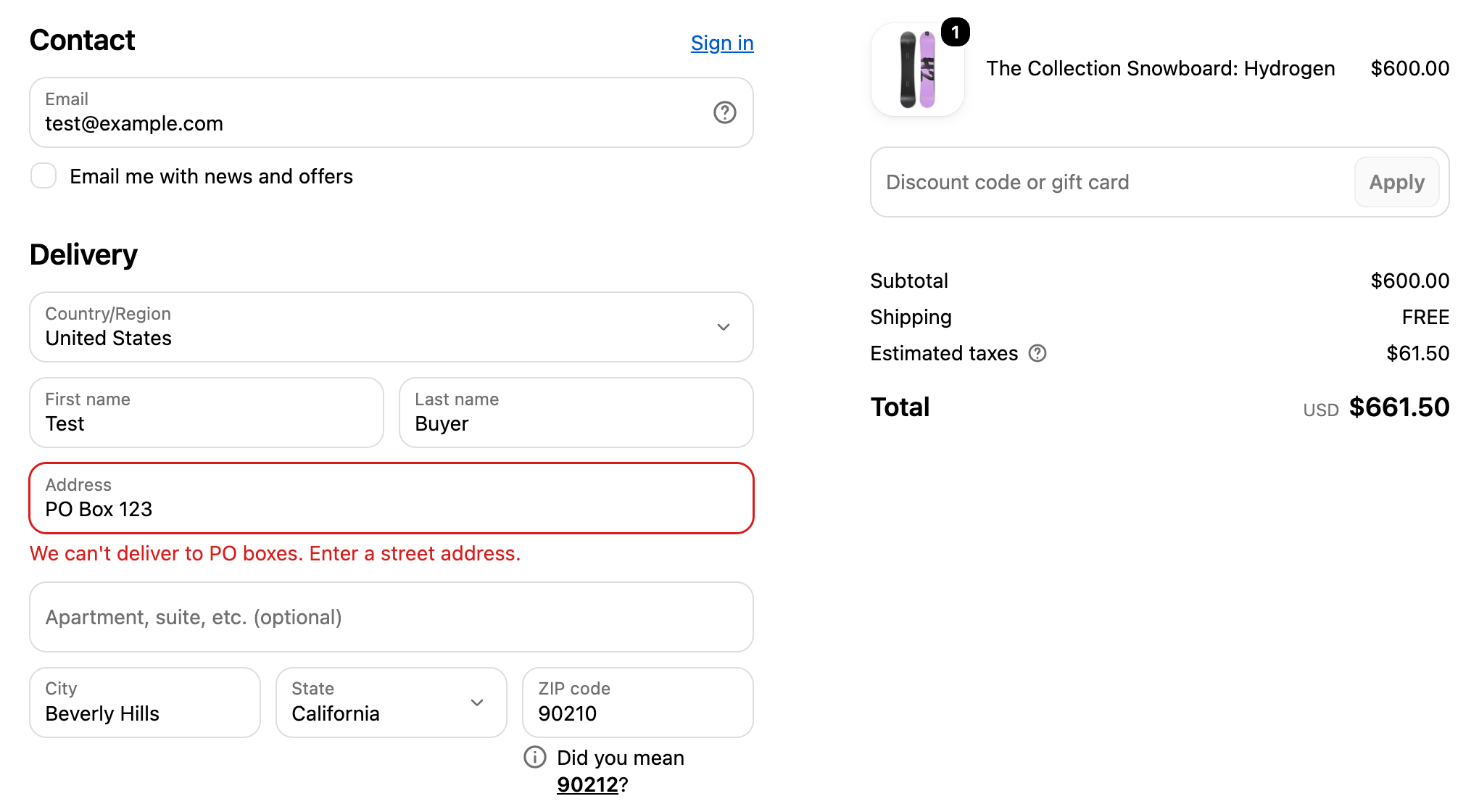
DoorCheck checks the delivery address while the buyer is still in checkout. PO boxes, missing house numbers and blocked postal codes get a clear message, and the buyer fixes it on the spot.
Free. Works on every Shopify plan.
Seven rules, each with one switch
Turn on the ones your store needs. Every rule has its own message, written by you.
Block PO boxes
Detects PO boxes in English, German, Dutch, French, Spanish, Italian and Portuguese.
PO Box 123Require a house number
Stops addresses with no number in either address line. Skip the countries where that's normal.
Main StreetBlock emoji and special characters
Keeps symbols your carrier can't print off the label. Normal punctuation is allowed.
12 Main St @homeRequire Latin characters
Stops addresses written in other scripts. Accented letters are allowed.
ул Ленина 5Set a minimum address length
Catches street addresses that are too short to be complete.
12 ABlock postal codes
List exact codes or prefixes, for every country or just one.
US:006*Block countries
Stops delivery to the countries or regions you list.
a country you chooseSet up in a minute
No theme changes and no code.
-
Install DoorCheck
It opens inside your Shopify admin with two rules already switched on.
-
Choose your rules
Switch rules on or off, edit the messages, and try any address in the built-in tester.
-
Save
Your rules start checking addresses at checkout straight away.
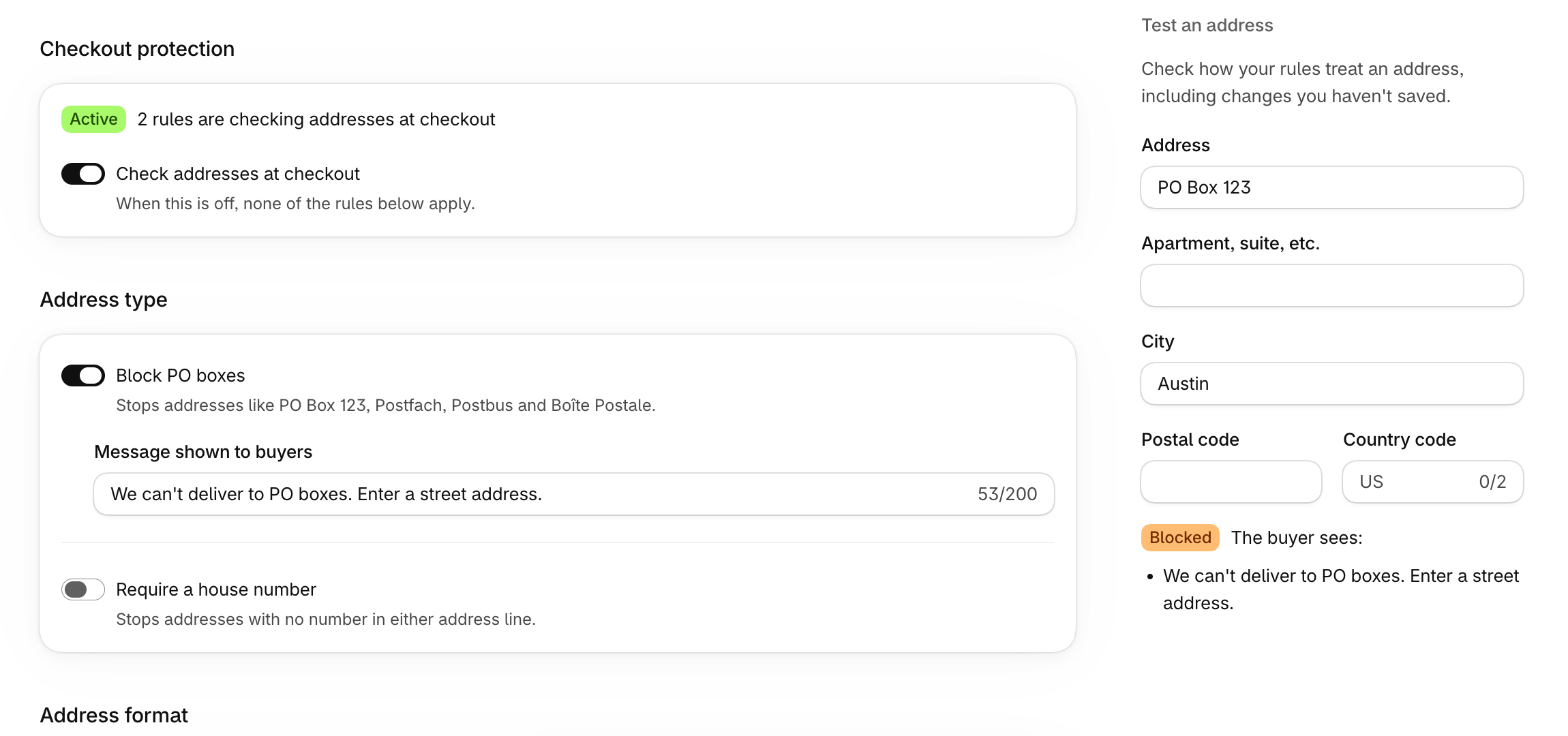
Test an address before you save
Type any address into the tester and see exactly what a buyer would see, including changes you haven't saved yet.
- One page, no menus to dig through
- A master switch turns every rule off at once
- The tester runs the same code as checkout
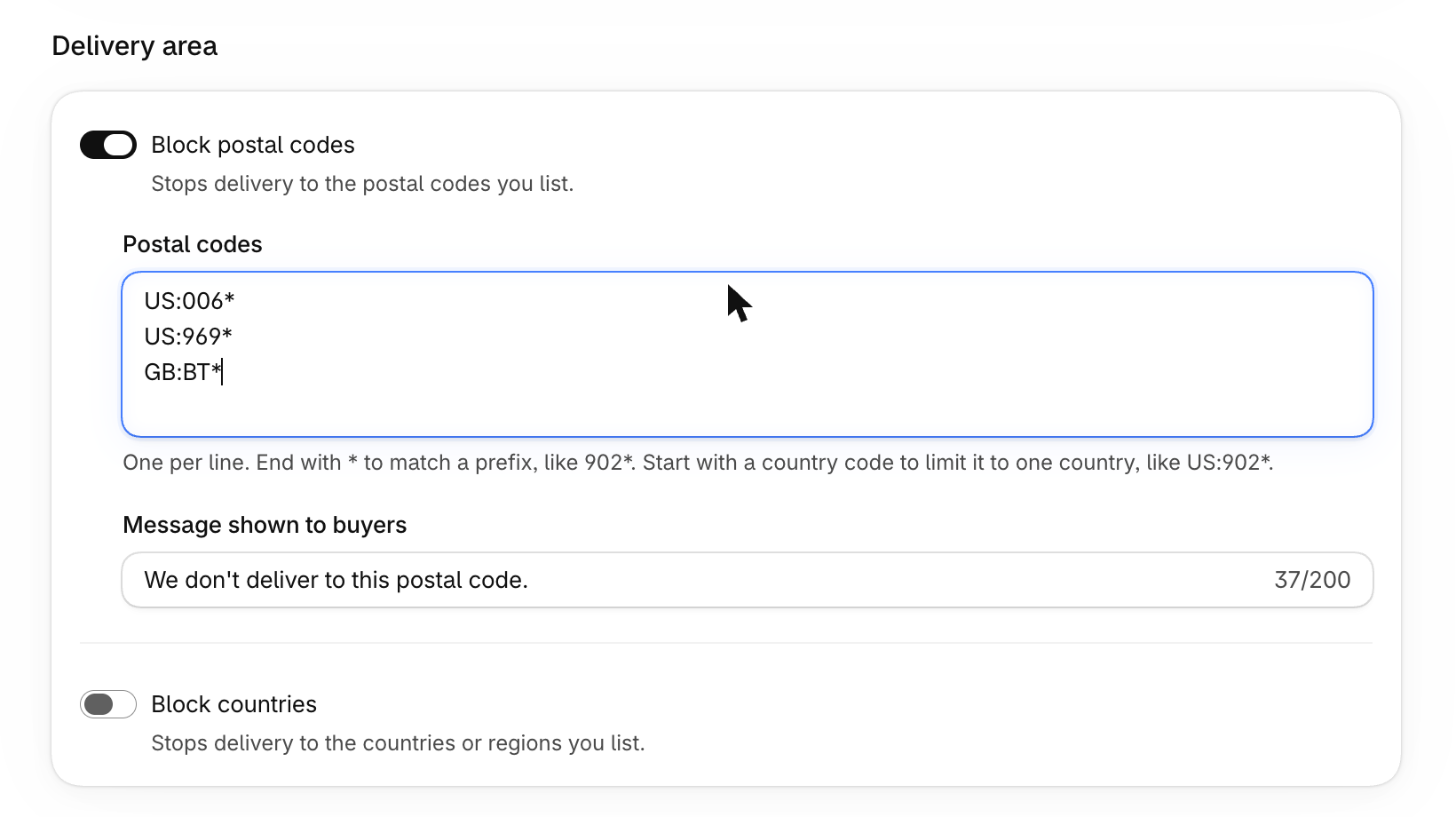
Say no to places you don't deliver
Block a single postal code, a whole prefix, or a country. Add a country code in front of a postal code to limit the rule to that country.
- One postal code per line
- End with * to match a prefix
- Your own message for buyers
Built on Shopify checkout
Questions
Does DoorCheck verify that an address really exists?
No. DoorCheck applies rules to what the buyer types, such as “no PO boxes” or “must contain a house number”. It doesn't look addresses up in a postal database or suggest corrections.
Do I need Shopify Plus?
No. The rules work on every Shopify plan.
Where does the buyer see the message?
Under the field that needs fixing, in Shopify's own checkout. If Shopify is already showing its own address suggestion under that field, your message appears when the buyer selects Pay now.
Will it slow down my checkout?
The rules run on Shopify's servers as part of checkout. There are no extra scripts on your storefront and no calls to outside services.
Can I change the messages buyers see?
Yes. Each rule has its own message, up to 200 characters.
What happens when I uninstall?
The rules stop applying at checkout, and the access we held for your store is deleted.
Catch address problems at checkout
DoorCheck is on its way to the Shopify App Store. Have a question in the meantime?